Serverless at Google Cloud

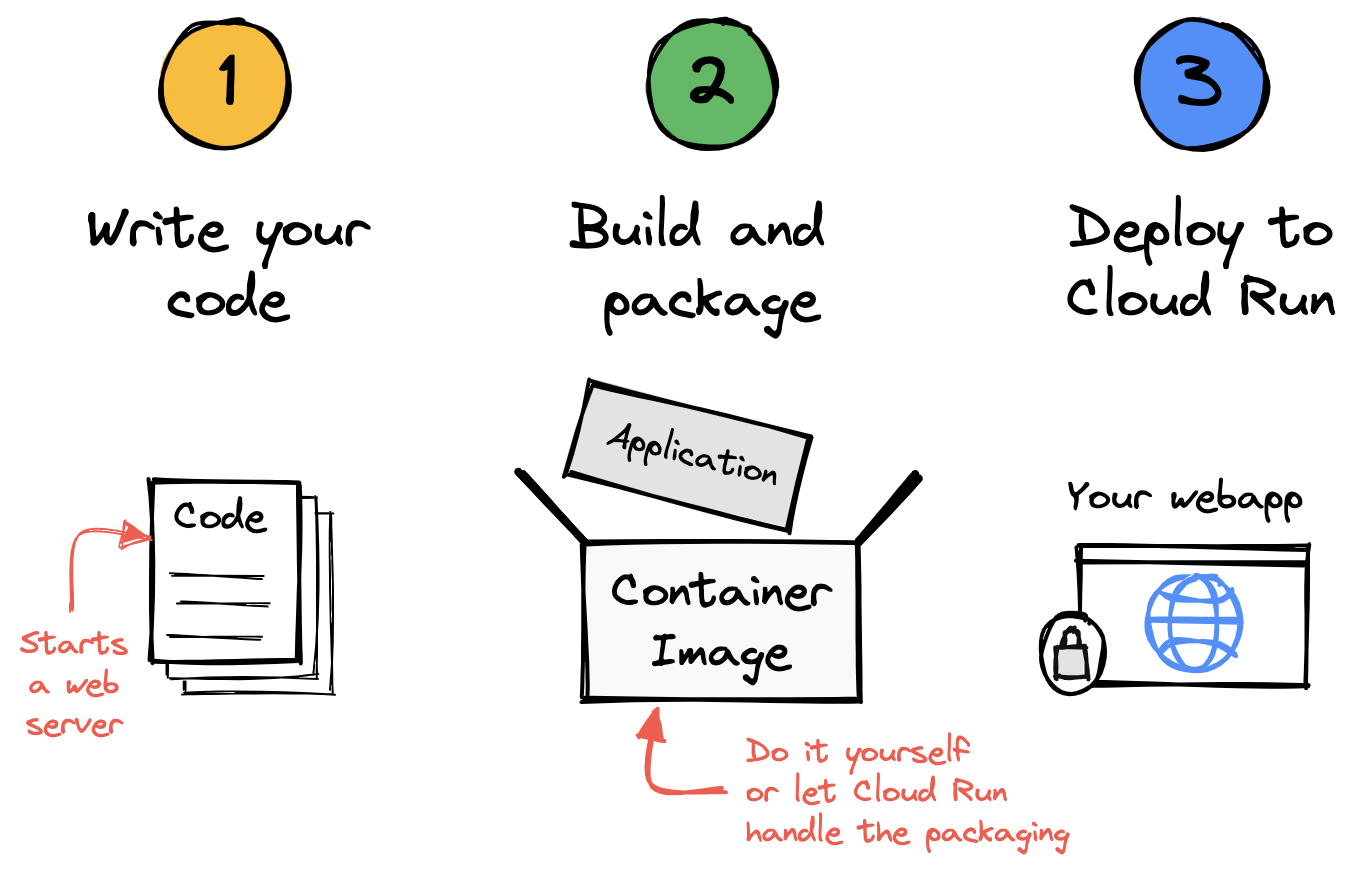
The Cloud Run deployment workflow is elegant
About me
Wietse Venema (pronounce Wee-tsuh)
![]()
Engineer at Google

I'm from the Netherlands
I'm not the famous Wietse Venema who created Postfix and coincidentally also works at Google Cloud!
About me
Daniel Stamer
Customer Engineer at Google
Digital Natives, Berlin
stamer@google.com

Serverless at Google
- Demo
- Serverless at Google
- Cloud Run
- Services
- Jobs
- Integrations
- Autoscaler Demo
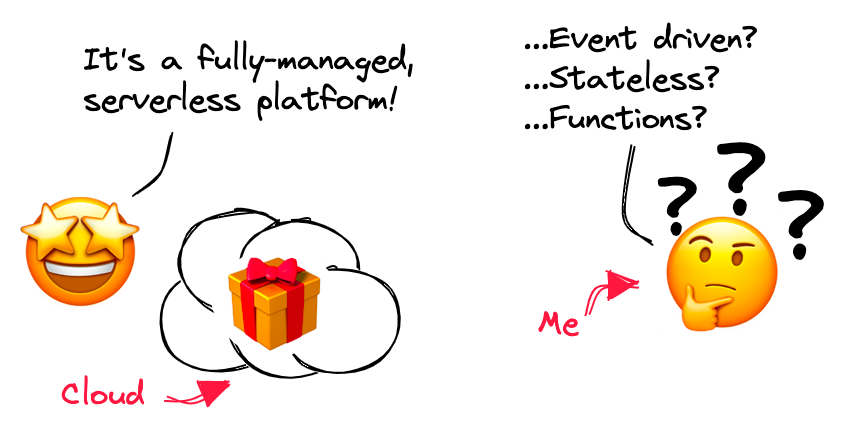
What is serverless?
This is a serverless product at Google
- It maximizes developer productivity
- It is self-operating
- It is scalable out of the box
- Its cost model is pay-per-use
Simple…......…... is what makes you more productive
Simple and capable is what makes you more productive
Self-operating means there's less to worry about in production
Self-operating means there's less to configure
Serverless runs directly on top of Google's scalable infrastructure
Serverless has a pay-per-use cost model
Summary
- It maximizes developer productivity
- It is self-operating
- It is scalable out of the box
- Its cost model is pay-per-use
Serverless products on Google Cloud
 |
 |
 |
 |
|
|
|
|
|
Run your code
|
Cloud Run |
 |
App Engine |
 |
Cloud Functions |
Build your code
|
|
 |
|
|
|
Connect your services
|
|
 |
 |
||
|
|
|
|
||
 |
 |
|||
|
|
|
Storing data
Firestore, BigQuery, Cloud Storage
Serverless at Google
- Demo
- Serverless at Google
- Cloud Run
- Services
- Jobs
- Integrations
- Autoscaler Demo
This is Cloud Run
Run your code in containers directly on top of Google's scalable infrastructure
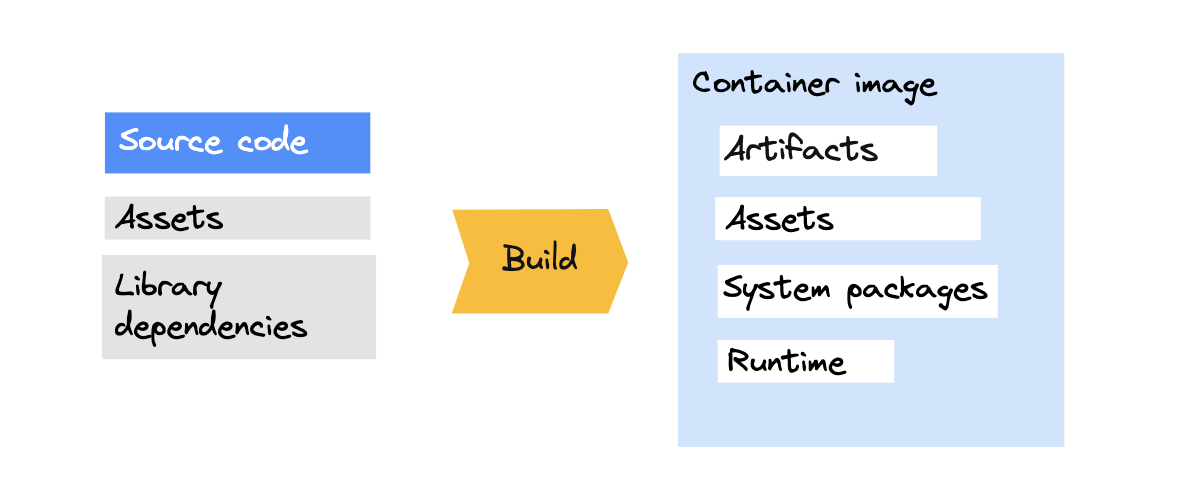
Container images are archives with files
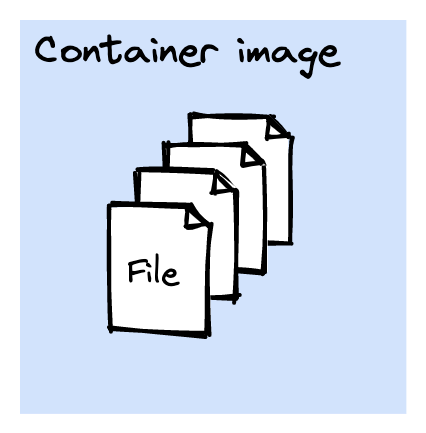
Container images are archives with files
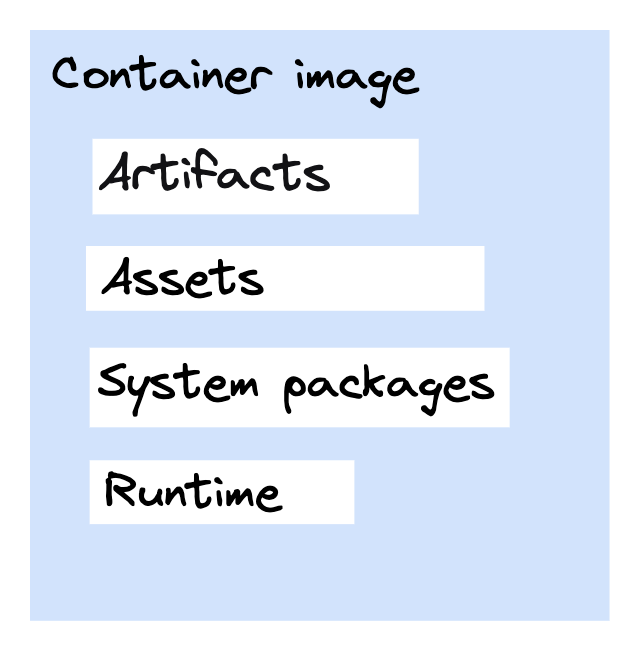
A container represents a running application
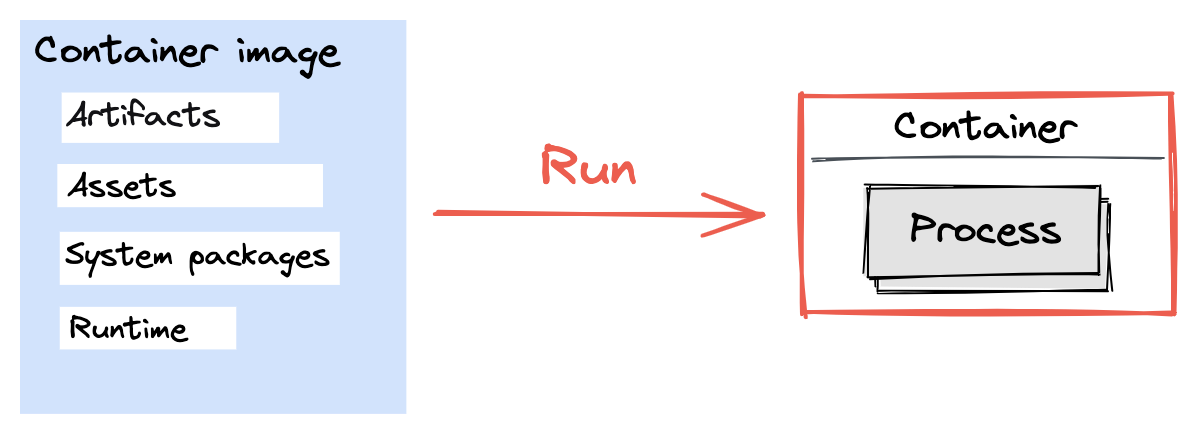
Build your source code to create a container image
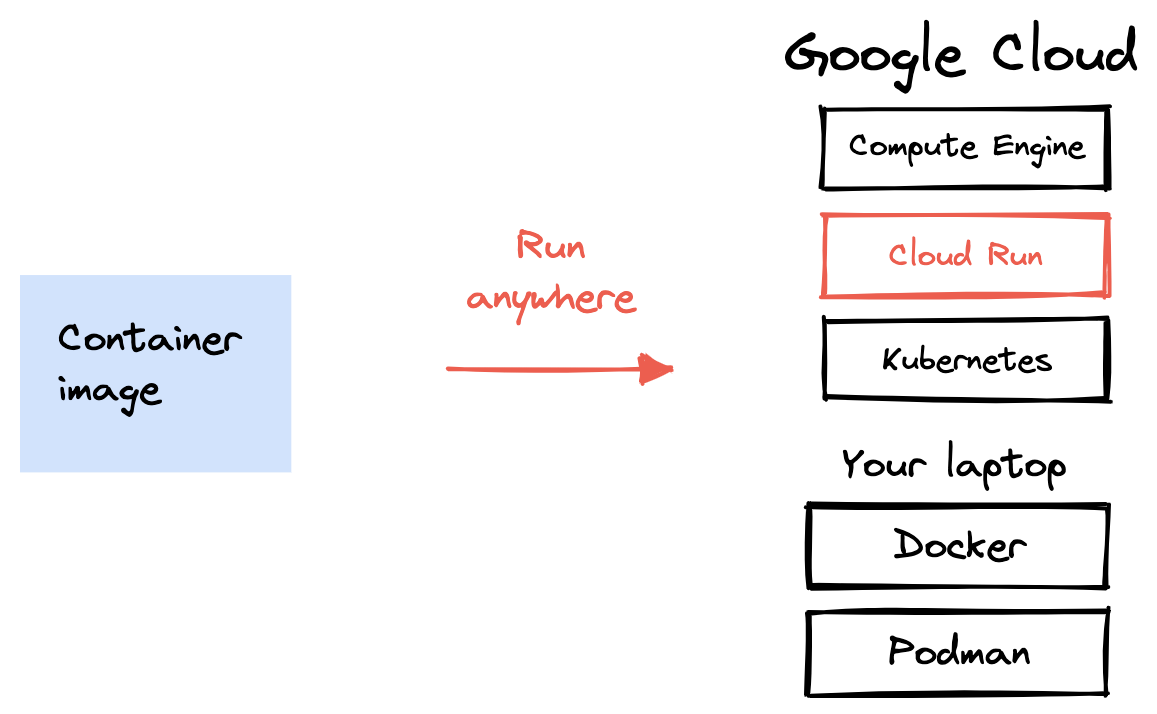
Containers can run anywhere
What's important to remember
- A container image is an archive with files.
- A container is a running container image.
- A container image has your application and all files your application needs to run.
Two ways to run your code
- Cloud Run service
- Used to run code that responds to web requests, or events.
- Cloud Run job
- Used to run code that performs work (a job) and quits when the work is done.
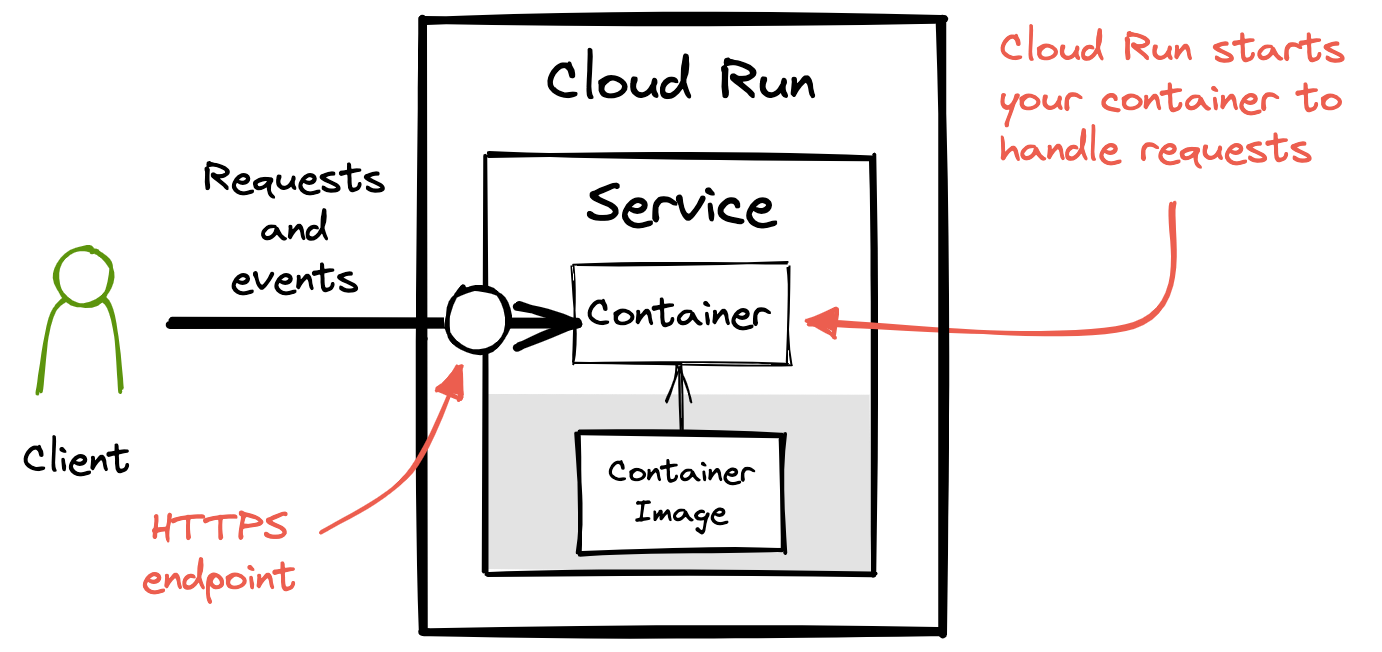
Sending a request to a service starts a container
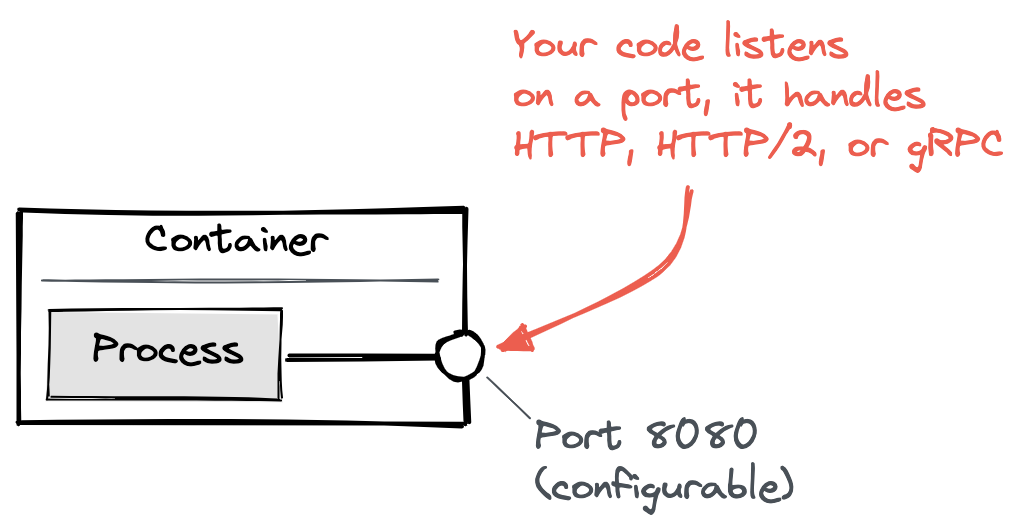
Your code starts a server
Three ways Cloud Run helps you avoid infrastructure toil
- Unique HTTPS endpoint for every service
- Fast request-based auto-scaling
- Built-in traffic management
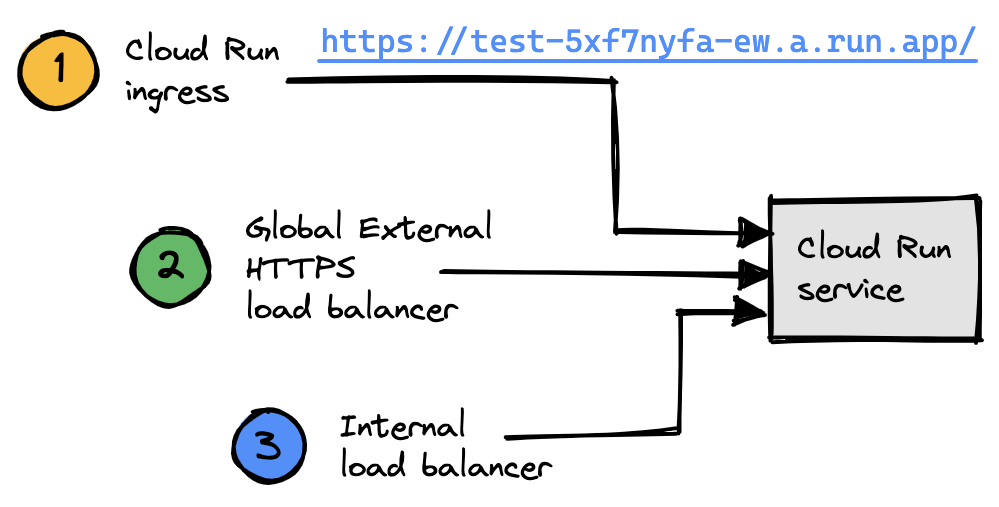
Unique HTTPS endpoint for every service
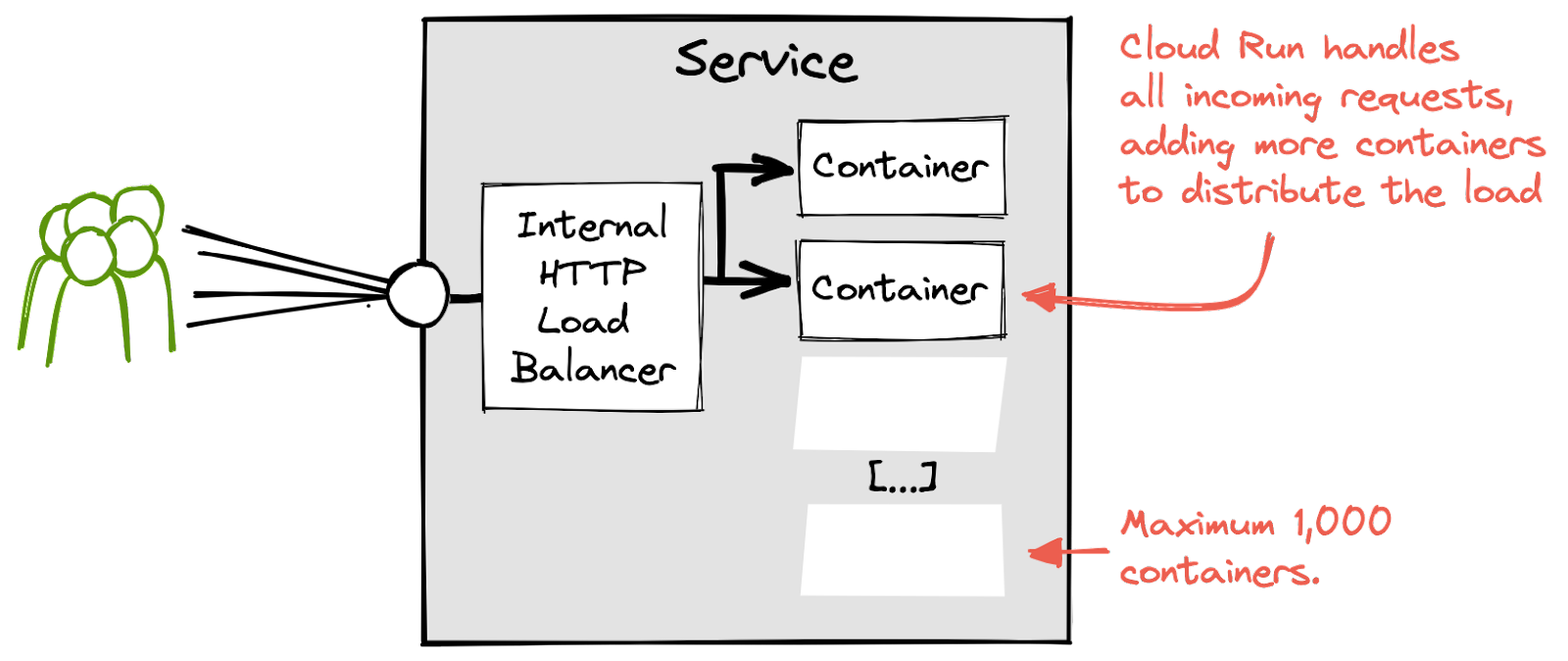
Fast request-based auto-scaling
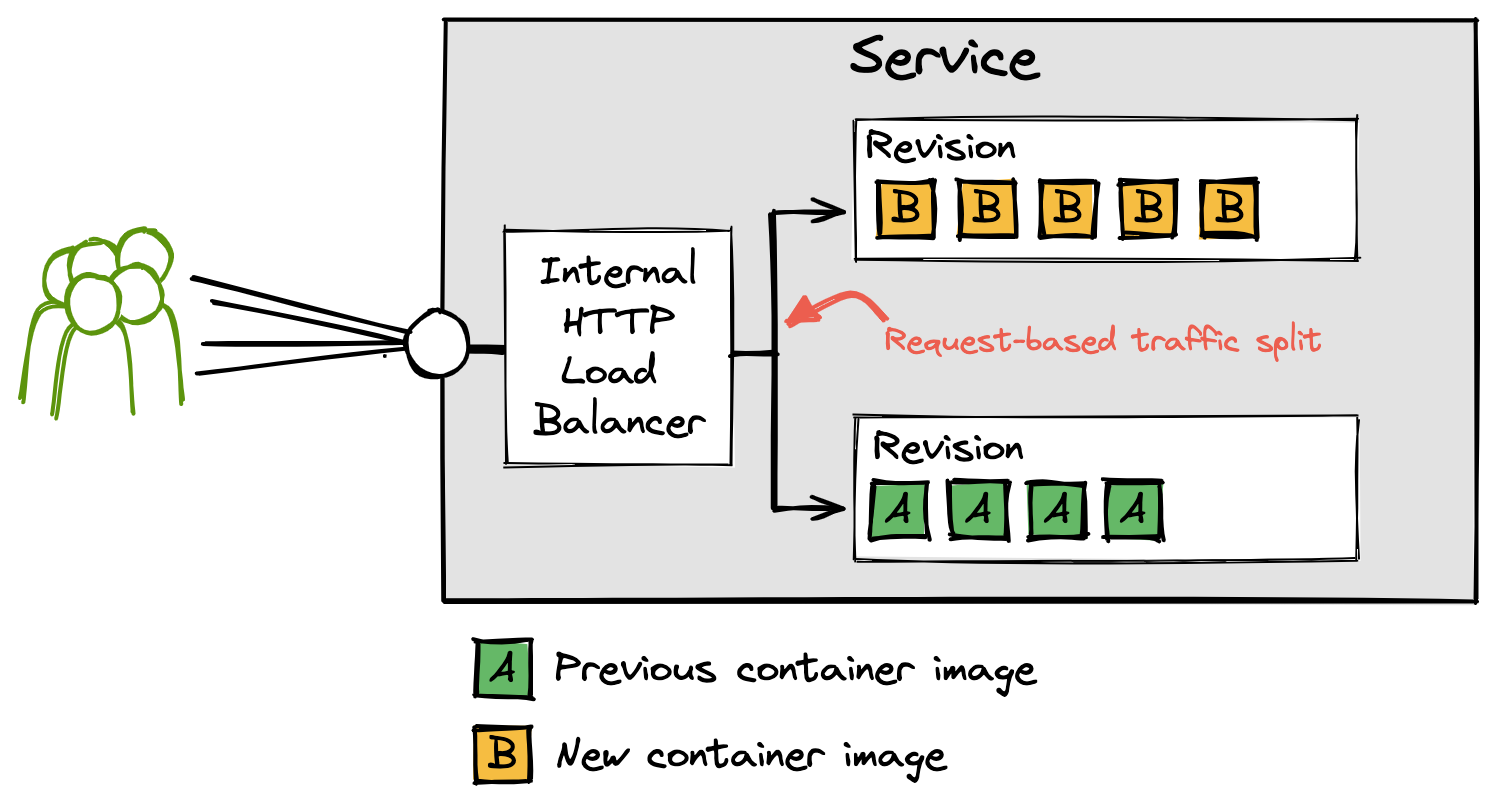
Built-in traffic management
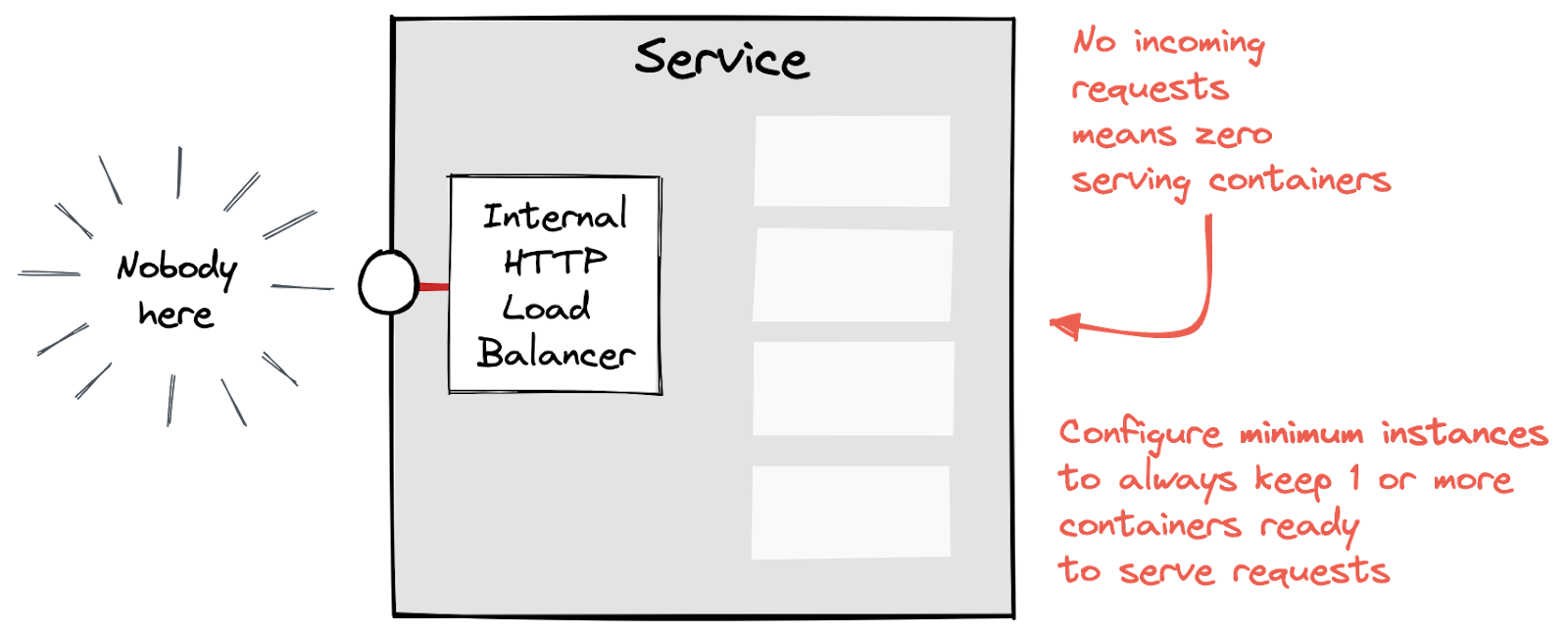
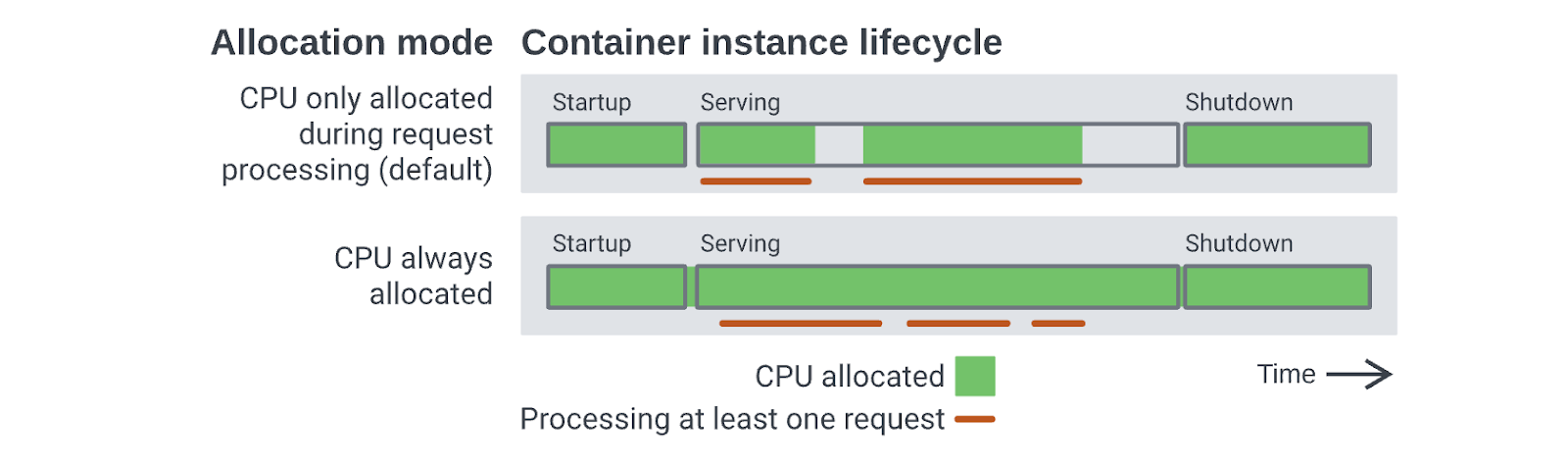
Cloud Run scales to zero containers
Pay-per-use pricing for Cloud Run services
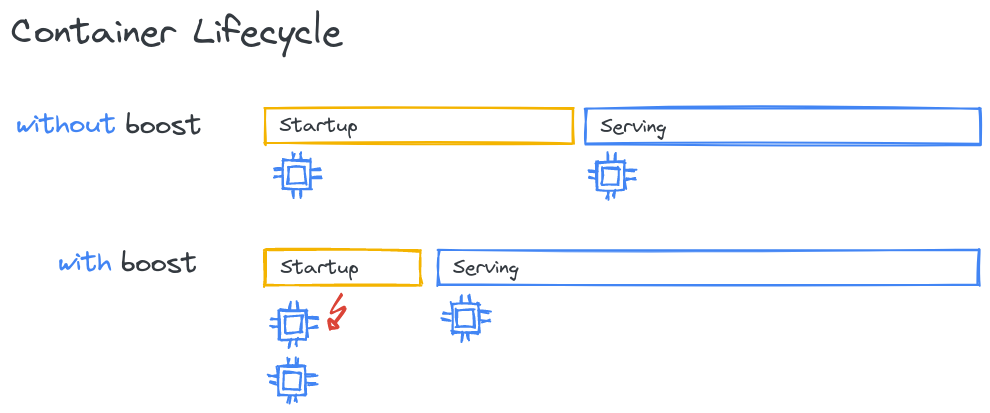
Faster cold starts
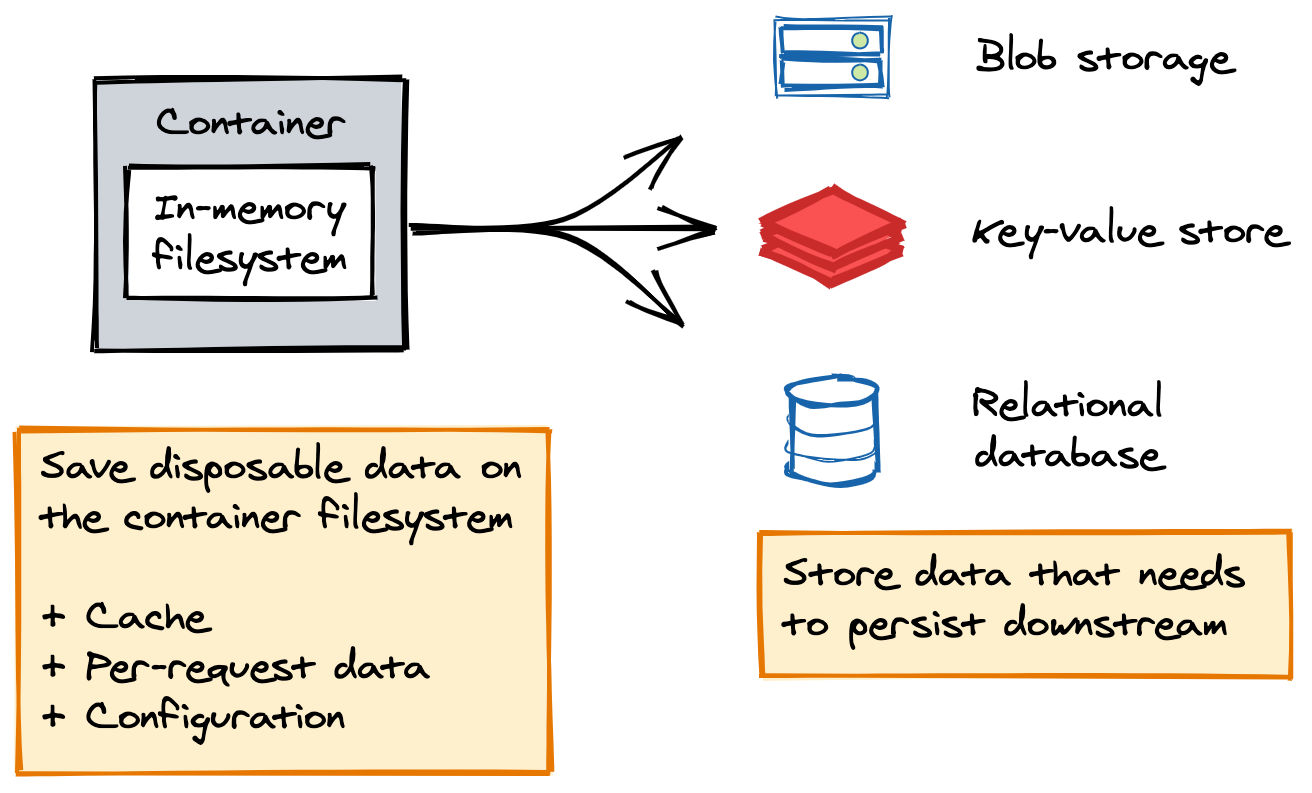
A disposable container filesystem
When to use Cloud Run services
- Websites and web applications
- APIs and microservices
- Streaming data processing
Serverless at Google
- Demo
- Serverless at Google
- Cloud Run
- Services
- Jobs
- Integrations
- Autoscaler Demo
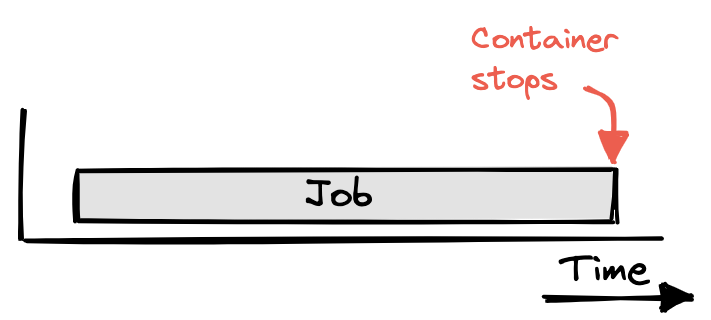
Use Cloud Run jobs to run code to completion
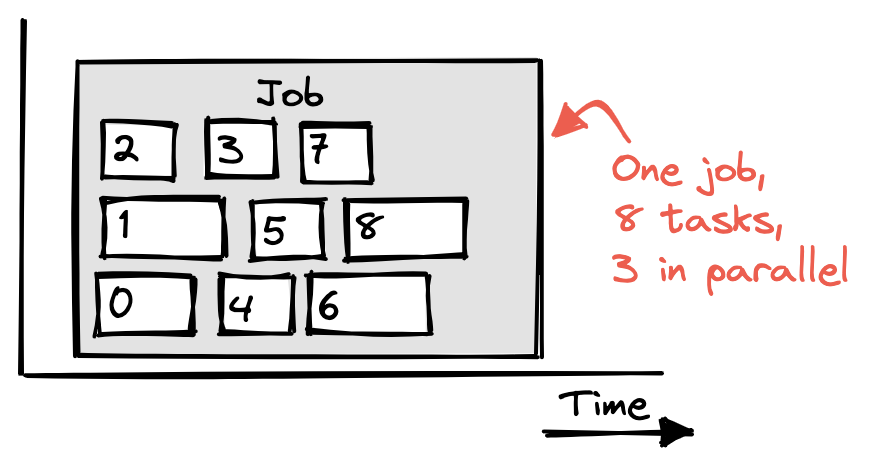
Array jobs are a faster way to process jobs
When to use Cloud Run jobs
- Script or tool
- Array job
- Scheduled job
Demo!
| 👷♀️ | 👷♂️ | 👷♀️ | 👷♂️ | 👷♀️ | 👷♀️ | 👷♂️ | 👷♀️ | 👷♀️ | 👷♂️ |
retrieving traffic split ...
That's a wrap!

This deck is deployed on Cloud Run:
$ gcloud run deploy --image gcr.io/serverless-is-more/run-squared
